


By switching to annual billing, you'll save 16% off the current regular monthly rate.
- Log in to your Prime Video account on a web browser
- Click here to switch from monthly to annual billing on an MHz Choice on Prime Video subscription
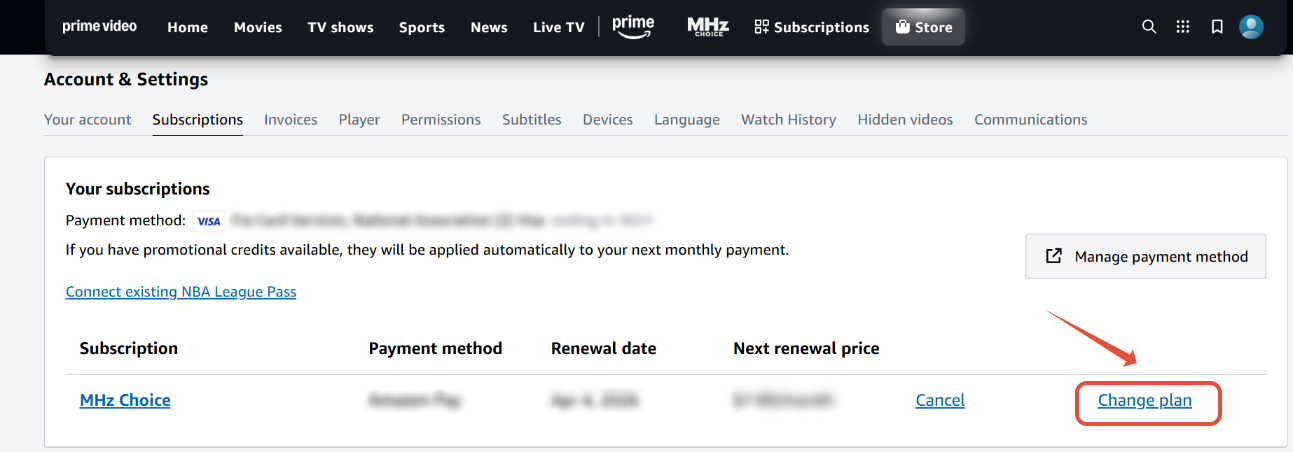
- Select CHANGE PLAN (click on image below to enlarge)
- Click on ANNUAL
- Confirm your selection and billing details by selecting CHANGE PLAN (click on image below to enlarge)
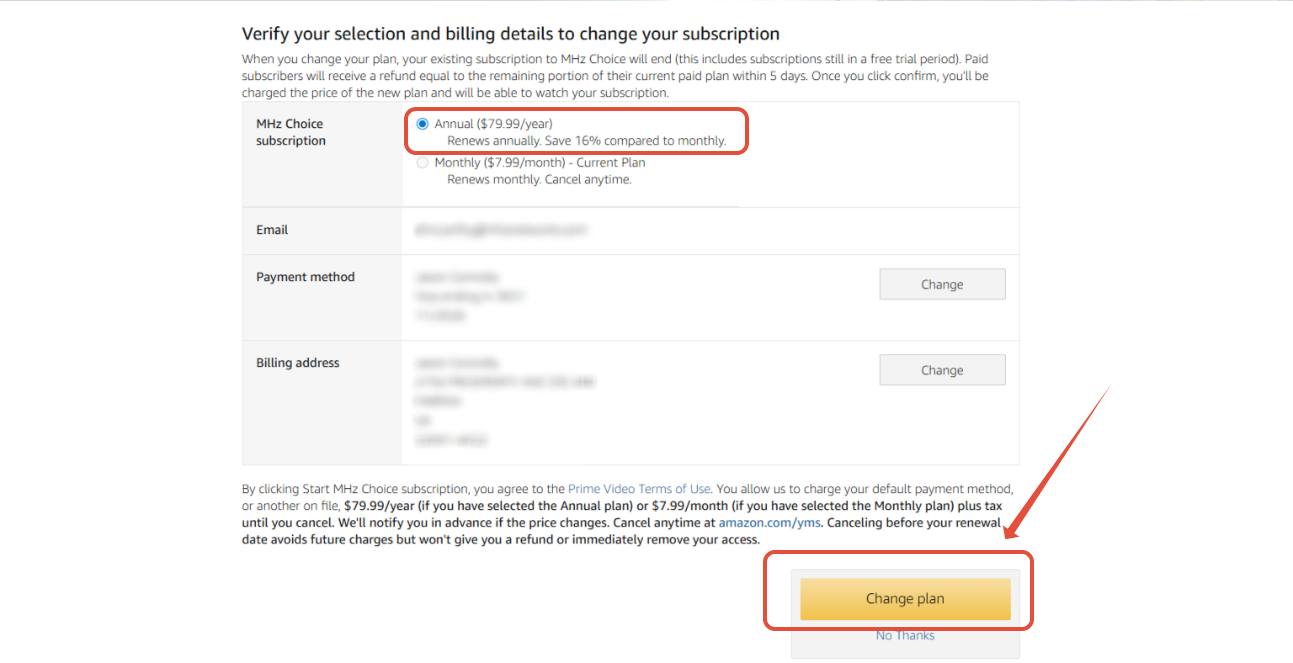
Per Prime Video: When you change your plan, your existing subscription to MHz Choice will end (this includes subscriptions still in a free trial period). Paid subscribers will receive a refund equal to the remaining portion of their current paid plan within 5 days. Once you click confirm, you'll be charged the price of the new plan and will be able to watch your subscription.
MHz Choice on Prime Video is only available for U.S. customers.